
Screenshots
What it does
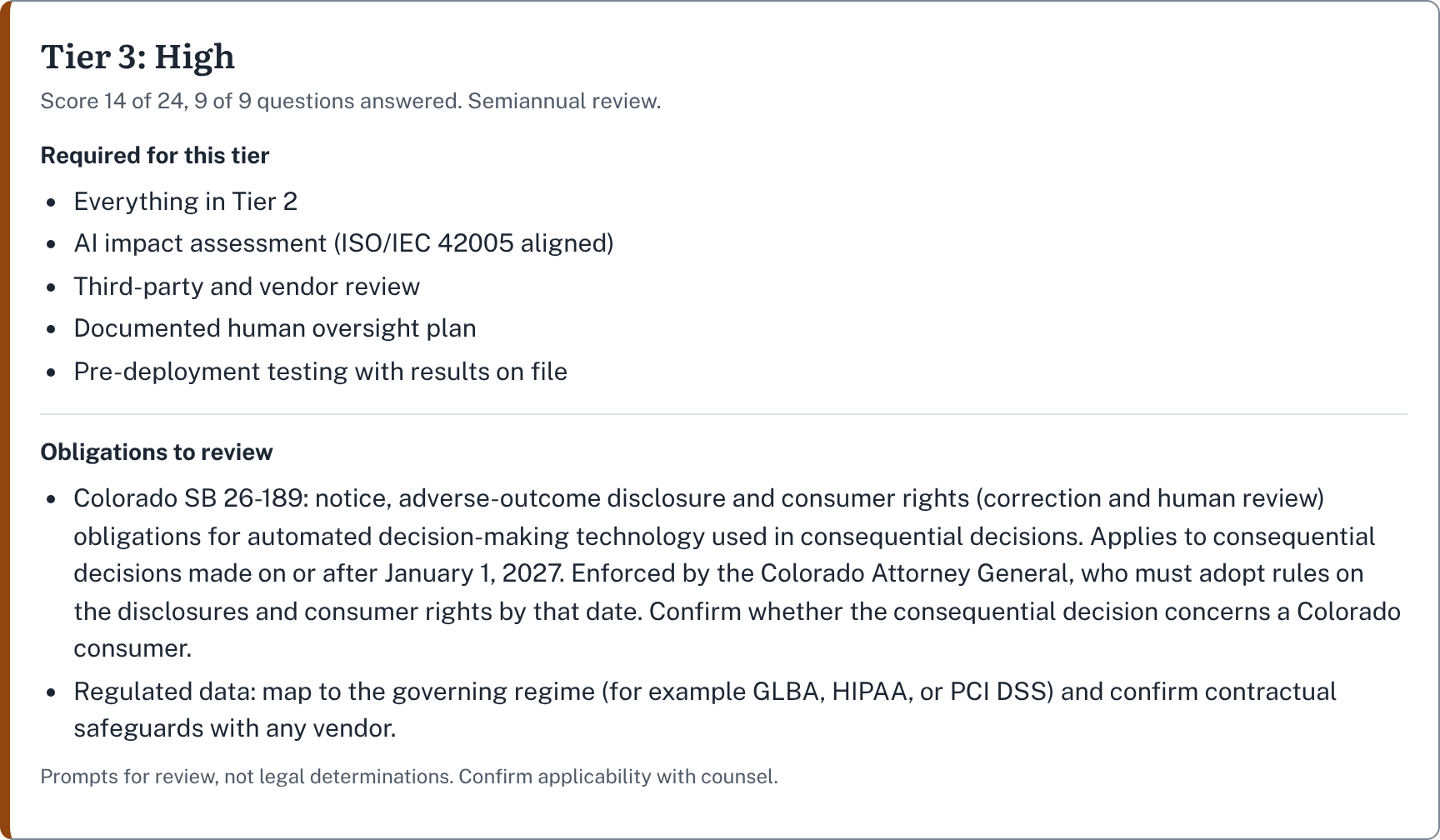
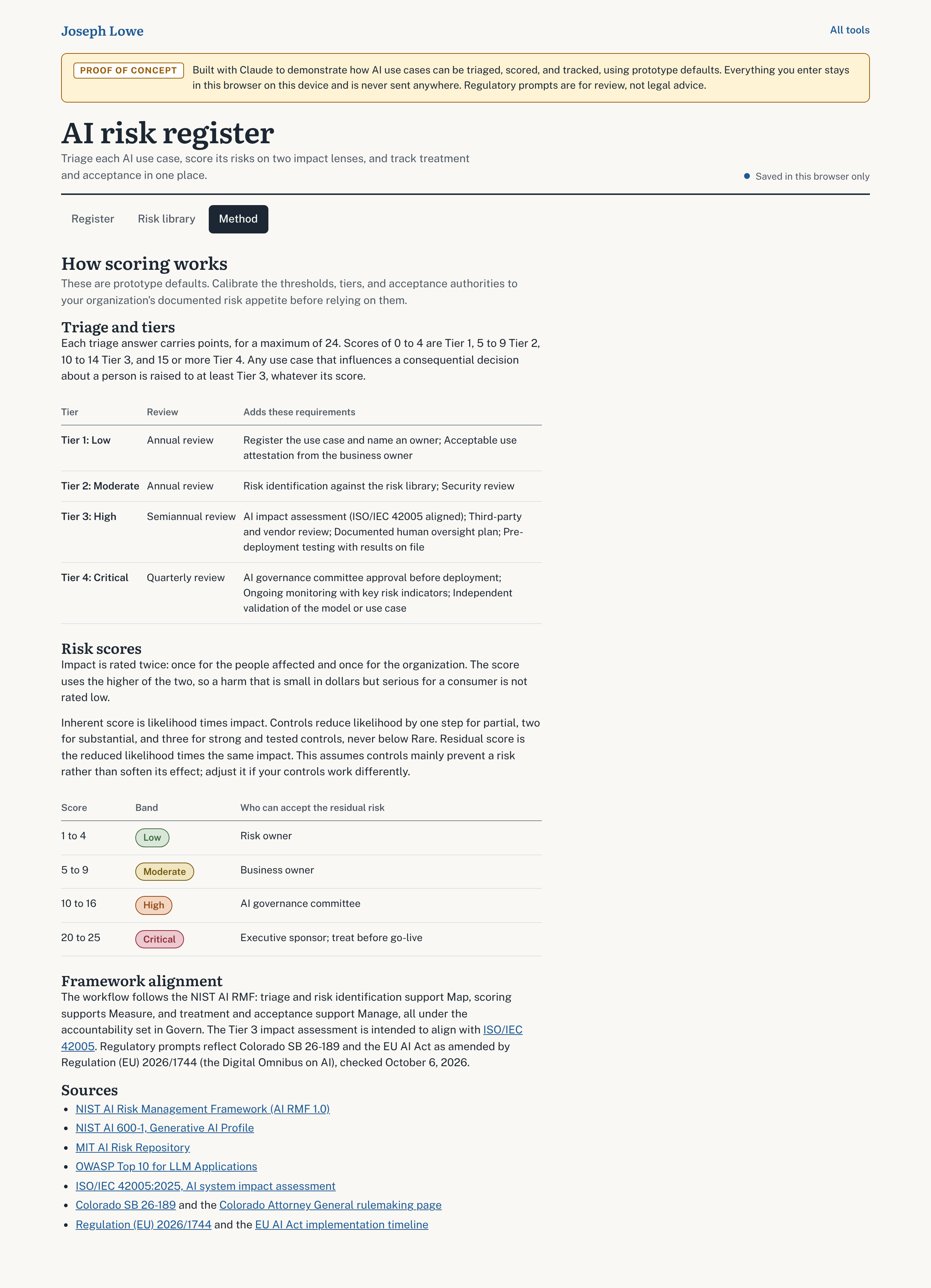
- A nine-question triage places each AI use case in one of four tiers, which sets how deep the assessment goes and how often it is reviewed.
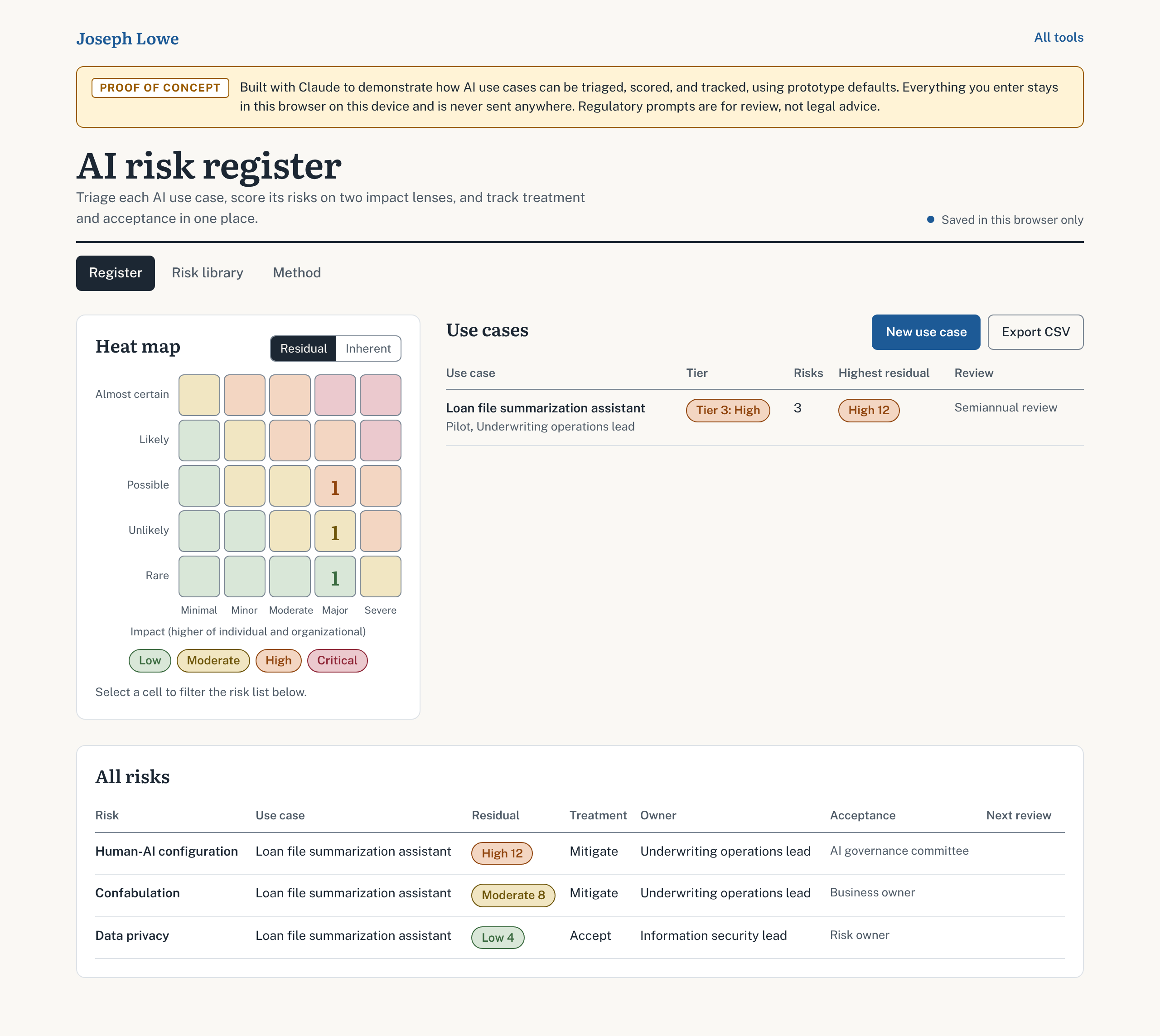
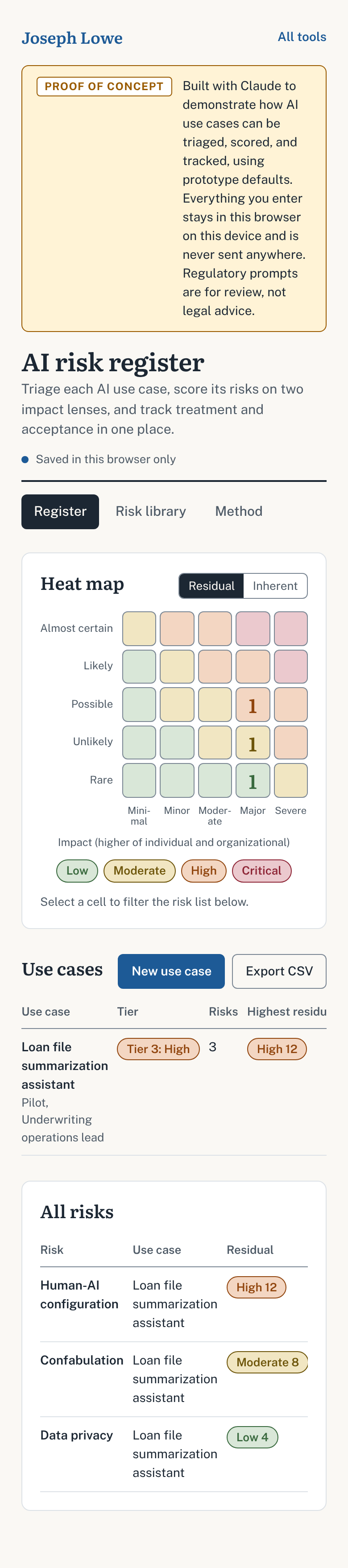
- Risks are scored on a 5 by 5 likelihood and impact scale, with impact rated separately for affected individuals and for the organization.
- Existing control effectiveness lowers likelihood to give a residual score; a heat map shows inherent and residual views.
- Each risk records treatment, owner, acceptance, and review dates, and the residual score indicates who can accept it.
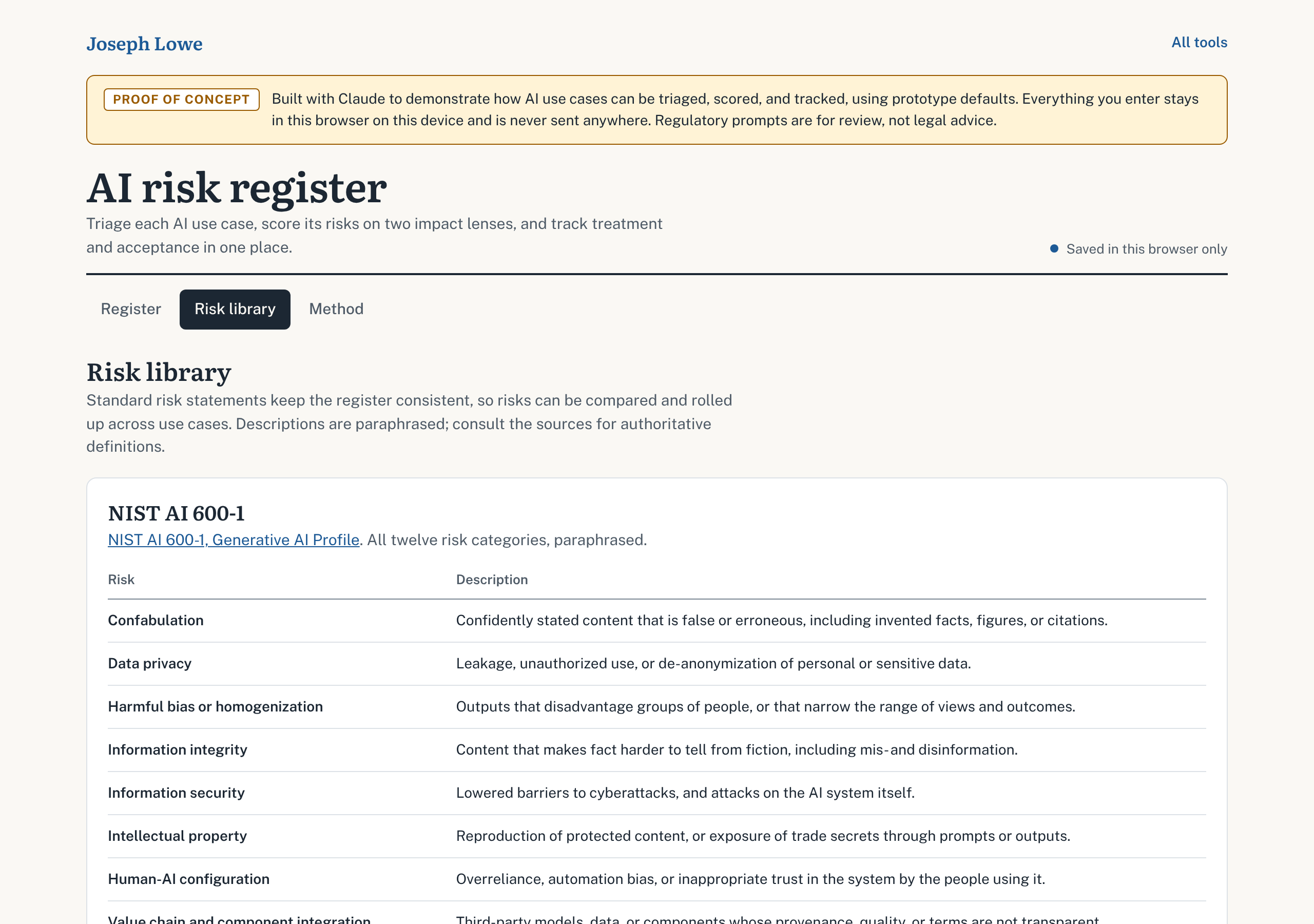
- A risk library of 21 standard risk statements drawn from NIST AI 600-1, the MIT AI Risk Repository, the OWASP Top 10 for LLM Applications, and common organizational risks.
How to use it
- Start. Open the tool and choose "New use case". To explore first, choose "Add example use case" to load a completed assessment you can edit or delete.
- Profile. Name the use case and record its lifecycle stage, what it does and for whom, its business and technical owners, how it is sourced, and its provider and model.
- Triage. Answer nine questions. The tool places the use case in Tier 1 (Low) to Tier 4 (Critical), lists that tier's requirements and review cadence, and flags any regulatory obligations to review.
- Risks. Choose a risk from the library or add a custom one. Describe it as cause, event, and consequence, then rate likelihood, impact to individuals, impact to the organization, and how effective existing controls are. The tool calculates the inherent and residual scores and shows the acceptance authority, meaning who can accept the residual risk.
- Treatment. Record the treatment (Mitigate, Accept, Transfer, or Avoid), the risk owner, planned actions, who accepted the risk, when the acceptance expires, and the next review date.
- Review. On the Register tab, the heat map shows residual or inherent scores. Select a cell to filter the risk list. "Export CSV" downloads the full register to your device.
- Learn the method. The Method tab explains how tiers and scores are calculated. The Risk library tab lists the 21 standard risks and their sources.
The tool saves as you go and shows "Saved in this browser only" at the top of the page. If your browser does not allow local storage, the tool says so ("Not saved: browser storage is unavailable"), and your entries last only until you close the page.
Sources it draws on
- NIST AI Risk Management Framework (AI RMF 1.0)
- NIST AI 600-1, Generative AI Profile
- MIT AI Risk Repository
- OWASP Top 10 for LLM Applications
- ISO/IEC 42005:2025, AI system impact assessment
- Colorado SB 26-189 and the Colorado Attorney General rulemaking page
- Regulation (EU) 2026/1744 and the EU AI Act implementation timeline
How it was built
I built this tool with Claude, Anthropic's AI assistant, for two reasons: to show what can be built today with AI tools in support of a GRC or cybersecurity program, and to show, in working form, the kind of work I have done in practice, building and maintaining a security risk register and running AI risk assessments. I defined what it should do, chose the frameworks and sources it draws on, and directed the build over several rounds of review and revision. Claude wrote all of the code. I reviewed the scoring logic, the regulatory prompts, and the wording, and I tested the tool myself. It is a proof of concept built from published frameworks: the tiers, thresholds, and acceptance authorities are prototype defaults, meant to be calibrated to an organization's own risk appetite.